MailFlow - Email Automation System
THE OVERVIEW
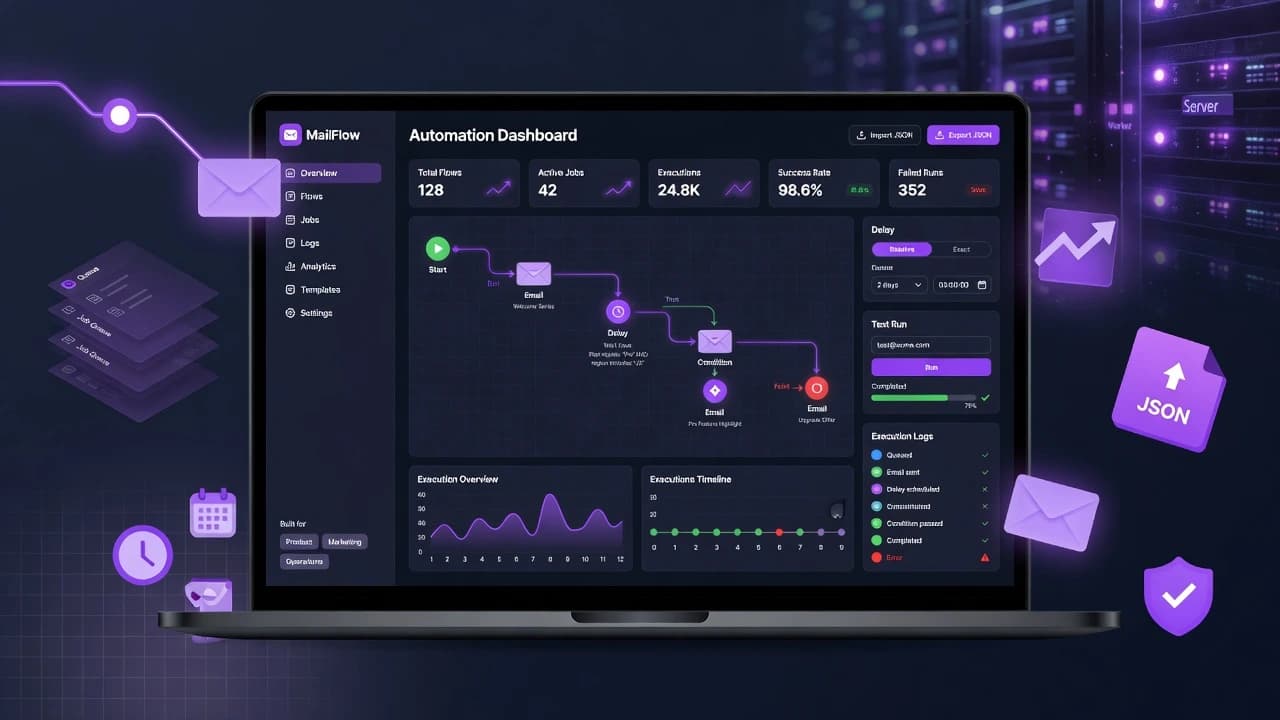
MailFlow was built to make email automation accessible and controllable through a node-based visual experience backed by a reliable job queue. Product and operations teams can create automations quickly, test them safely, and understand execution behavior through structured logs and dashboard metrics.
THE CHALLENGE
The key engineering challenge was coordinating graph-based workflow execution with delays and condition branches while keeping runs observable and debuggable. This was addressed with queue-backed step execution, recursive next-node resolution, DB-backed logging, and polling-based runtime visibility in the UI.
ACHIEVEMENTS
Delivered an end-to-end automation system with a production-style visual editor, branch-aware execution logic, scheduled delay handling, test-run tooling, and dashboard observability. The result improves workflow creation speed, operational transparency, and confidence during automation testing.
TECH STACK
METADATA
- RoleLead Developer
- Year2025
- PlatformWeb Platform
CORE FEATURES
Visual Email Workflow Builder
Build automation journeys on a React Flow canvas with start/end nodes, email action nodes, delay nodes, and conditional branches for flexible logic.
Rule-Based Conditional Routing
Create multi-rule conditions using equals, not-equals, includes, starts-with, and ends-with operators with AND/OR joins to split flow paths into true/false outcomes.
Flexible Delay Scheduling
Pause automation steps using relative waits (seconds/minutes/hours/days) or exact date-time scheduling for campaign timing control.
Queue-Driven Execution Engine
Runs flow steps through Agenda background jobs with recursive node traversal, node-by-node execution, and resilient asynchronous orchestration.
Live Test Runs and Execution Logs
Launch test runs with a recipient email, poll runtime logs in near real time, and surface completion/error states for fast debugging and validation.
Operational Dashboard and Flow Portability
Track total flows, active jobs, and execution counts, while importing/exporting JSON flow definitions to speed reuse, backup, and collaboration.