Browser Tools
THE OVERVIEW
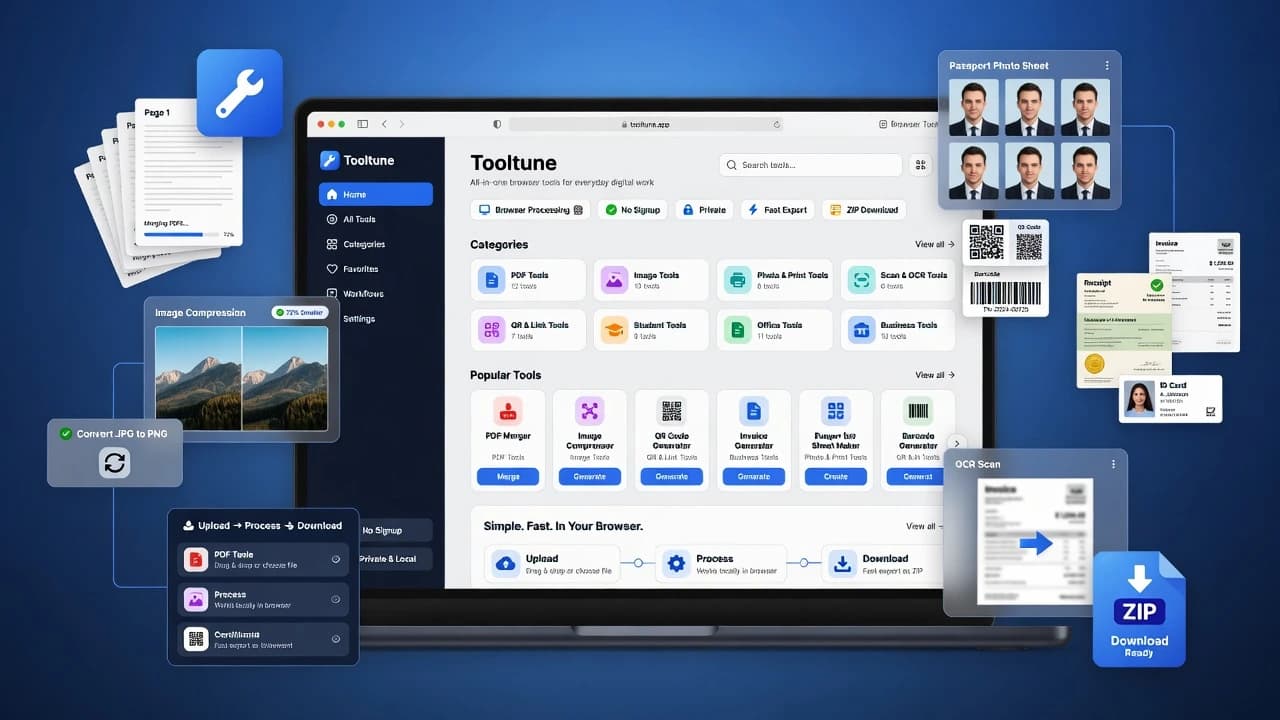
Tooltune was built as a practical all-in-one toolkit for everyday digital work. The platform brings together PDF tools, image tools, photo and print utilities, QR/link generators, student helpers, office templates, and business document makers in one clean interface. The goal is simple: users should be able to upload, edit, generate, convert, or download files quickly without creating an account or relying on complex software. Most tools are designed to run directly in the browser, making the platform faster, more private, and easier to use for students, offices, print shops, freelancers, and small businesses.
THE CHALLENGE
The biggest challenge was designing a large multi-tool platform without making the user experience feel heavy or confusing. Tooltune needed to support many categories while keeping navigation, search, and tool discovery simple. Another important engineering challenge was handling file-based workflows such as image compression, conversion, PDF preparation, QR generation, ZIP downloads, and print-ready layouts while keeping most processing browser-first. To solve this, the system uses a centralized tool registry, category-driven routing, reusable tool shells, shared UI components, and client-side processing packages where possible. This structure keeps the codebase scalable while allowing new tools to be added without rewriting the core experience.
ACHIEVEMENTS
Tooltune now includes a scalable foundation for a full browser-based tools platform with organized categories, searchable tool listings, dynamic tool pages, reusable tool cards, popular tool highlighting, and working implementations for core utilities like image conversion, image compression, image resizing, cropping, QR generation, barcode generation, WhatsApp link generation, UTM link building, and text utilities. The platform is built to support future expansion into more advanced PDF, OCR, print, office, and business tools while keeping the experience fast, private, and beginner-friendly.
TECH STACK
METADATA
- RoleLead Developer
- Year2026
- PlatformWeb Platform
CORE FEATURES
PDF Tools
Merge, split, reorder, rotate, remove pages, convert images to PDF, and prepare PDF files directly in the browser.
Image Tools
Convert, compress, resize, crop, watermark, and prepare images with fast client-side processing and bulk workflow support.
Photo & Print Tools
Create passport photo sheets, resize signatures, prepare A4 layouts, crop document photos, and generate print-ready assets.
Scan & OCR Tools
Clean scanned documents, extract text from images, convert scanned pages to PDF, and improve readability for document photos.
QR & Link Tools
Generate QR codes, WhatsApp links, barcodes, UTM campaign URLs, contact QR cards, and printable QR label sheets.
Office & Business Tools
Create invoices, receipts, certificates, ID cards, notices, price tags, product labels, business cards, and promotional materials.